 Cliplo
Security
Clipboard data, protected. Encrypted and kept on the device.
All clipboard data is stored on the device, encrypted, and readable only by the signed-in user.
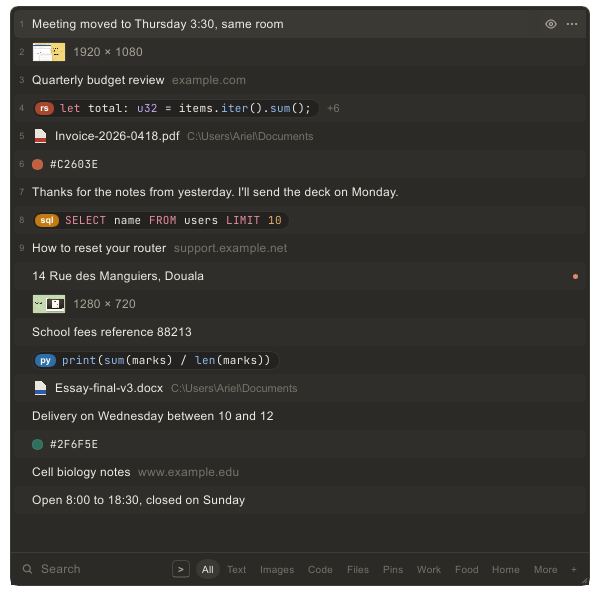
Encrypted at rest: text, images and source application names.
Protection layers
Four layers of protection. From storage to the vault.
-
Data stays on the device
No account and no Cliplo server. History is stored in the user profile, and clipboard content is never transmitted to Cliplo.
Network use: license checks, and page titles when link previews are enabled -
Encrypted at rest
Clip text, source application, metadata and images are encrypted with a key that only the signed-in account can unlock.
XChaCha20-Poly1305 · key wrapped by the system keyring (Linux) or DPAPI (Windows) -
Sensitive data, never stored
Password manager content is excluded. Keys, tokens, recovery phrases and card numbers are never stored. In copied code, only the secret is removed.
Honors the Linux and Windows private-content markings -
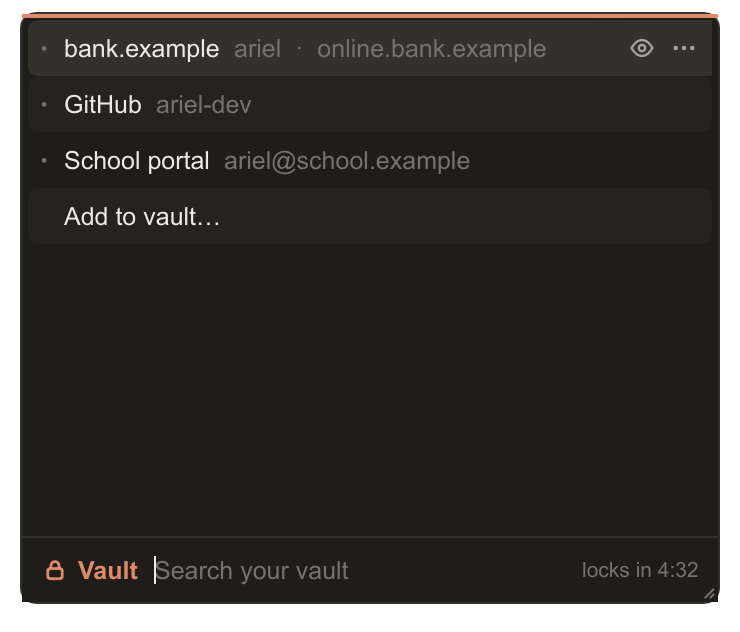
Password-protected vault
Logins are stored in an encrypted vault, locked with a password known only to the user.
Argon2id · XChaCha20-Poly1305 · locks after 5 minutes of inactivity
Exclusions
Sensitive content is never recorded.
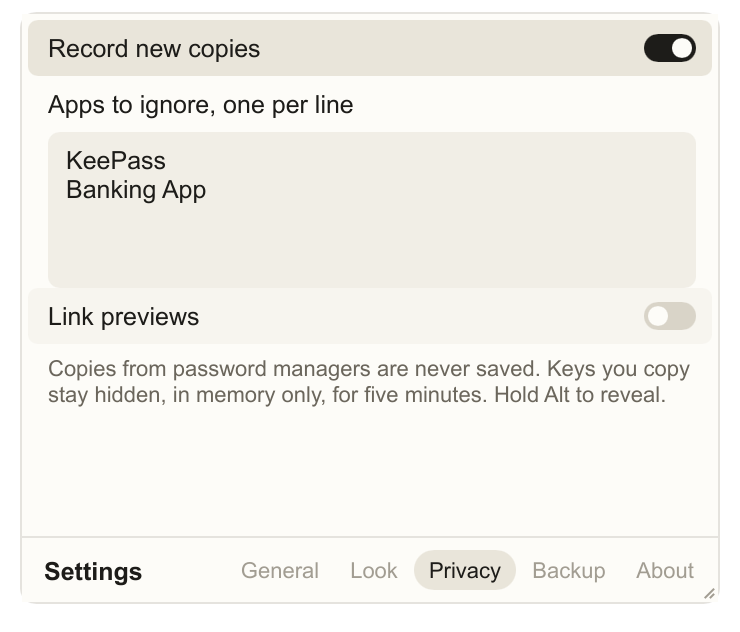
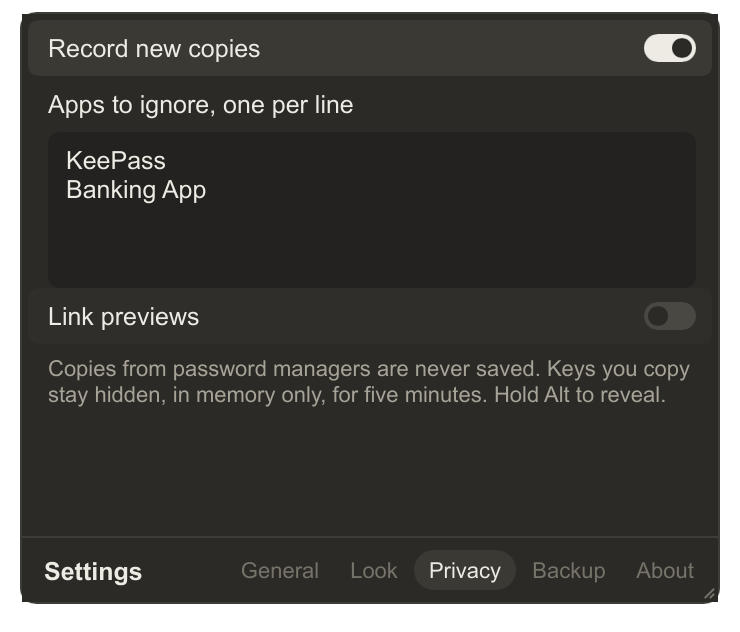
Password managers mark copied credentials as private. Cliplo honors that marking and never records such content. Passwords and keys copied from Cliplo carry the same marking. On Linux, clipboard tools that honor it, including KDE’s, exclude them; GNOME does not support the marking. On Windows, clipboard history and cloud clipboard exclude them.
Ignored applications can be configured. Secrets from any source are detected: keys for 65 services, private keys, recovery phrases, two-factor codes and card numbers. Secrets are never written to disk. In copied code, only the secret is removed. With Pro, the original is held in memory, masked, for five minutes.
The vault
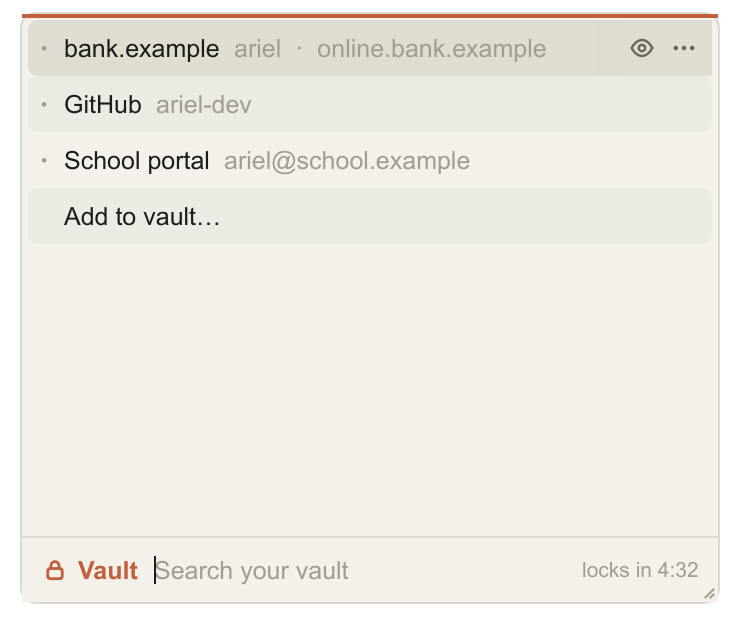
A private vault for credentials. Locked with a password known only to the user.
Logins and sensitive notes are stored in an encrypted vault, separate from the clipboard history. It opens only when its password is entered in Cliplo's search field.
- Never saved
- The password is the key. It is not stored by Cliplo or elsewhere.
- Automatic lock
- After five minutes of inactivity.
- Never transferred
- Excluded from backups, exports and sync.
- Zero-knowledge
- The password cannot be reset, as it is never stored. It should be kept in a safe place.
Sync
Encrypted sync. Through existing cloud storage.
Sync uses an existing OneDrive, Dropbox or Google Drive folder. History is encrypted with a user-chosen passphrase before it leaves the device, and Cliplo never receives a copy. Exports are protected the same way.
Detection
Checked on every copy. Published in full.
API keys and tokens for AI, cloud, code, payments and messaging services, plus 8 general formats. Never written to disk.
Every format 54 rules Risky command detection · ProCredential theft, security bypass, data destruction and 6 more categories, for Linux, macOS and Windows.
Every rule and its limitsThreat model
Threat model. Scope of protection.
In scope
- Stolen drive or backup
- History is encrypted. The key is bound to the user account.
- Other accounts on the PC
- Each account has a separate key.
- Malicious commands
- Flagged on copy, before they are pasted (Pro).
- Clipboard-swapping malware
- Replaced wallet addresses are flagged and can be restored (Pro).
- Secrets in history
- Keys, tokens, recovery phrases, card numbers and passwords are never written to disk.
- A breach at Cliplo
- No Cliplo server holds clips, accounts or passwords. Sync is end-to-end encrypted.
Out of scope
- Malware running as the user
- Processes in the same account can access the key and the clipboard.
- Unlocked sessions
- Anyone at a signed-in session can open Cliplo.
- Keyloggers and screen capture
- Outside the clipboard and outside Cliplo’s scope.
- X11 sessions
- Any X11 application can read the clipboard and keyboard. Wayland isolates applications.
- Keyrings without a password
- On Linux, a keyring not protected by a password leaves the history key unprotected at rest.
- Unknown techniques
- Rules are added as new techniques are published.
Disclosure
Vulnerability disclosure. Coordinated and acknowledged.
- Contact
- team@cliplo.app, subject “Security report”
- Response
- Acknowledgement within 3 business days. Remediation plan within 14 days.
- Disclosure
- Published after a fix ships, with credit on request.
- Scope
- The Cliplo application, installers, updates and cliplo.app.
- Safe harbor
- Good-faith research that avoids user data and service disruption is authorized.
- Machine-readable
- /.well-known/security.txt
Technical details
Established cryptography. Industry-standard throughout.
Cliplo uses industry-standard algorithms, reviewed by the security community.
Pro licenses do not expire. They are checked online to keep each key to its two computers. The check never includes clipboard content.
- History at rest
- XChaCha20-Poly1305, a fresh 192-bit nonce per item
- History key
- Random 256-bit, per account. Linux: wrapped by a key held in the system keyring. Windows: wrapped by DPAPI
- Sub-keys
- Derived with BLAKE3 key derivation
- Lookups
- BLAKE3 keyed hashes, so known text can’t be searched for
- Vault, sync, exports
- Argon2id key stretching, fresh salt per file, XChaCha20-Poly1305
- Sync passphrase
- At least 12 characters, wrapped by the system keyring or DPAPI
- Secrets
- Memory only, masked, gone after 5 minutes
- License
- Ed25519-signed key, activated and checked online
- Memory
- Keys and passwords wiped after use (zeroize). Core dumps disabled on Linux
- Data folder
- Owner-only access on Linux (0700). User profile on Windows
Describes Cliplo 0.9 for Linux and Windows · Last reviewed November 17, 2026 · security.txt · Privacy · Terms